Loose headphone pins are a common problem, which may lead to a decline in sound quality or poor contact. Here are several effective solutions:
1. Use double-sided tape to fix
Cut a small piece of double-sided tape and stick it on the part where the earphone pin contacts the jack. This can increase the friction and prevent the pins from accidentally falling off. This method is simple and low-cost, and is suitable for temporary or slightly loose scenarios.
2. Clean the pins and sockets
Loose earphone pins might be caused by the accumulation of dust or dirt. Use a small cotton swab dipped in a small amount of alcohol to gently wipe the inside of the pins and sockets to remove impurities. Be gentle when operating to avoid damaging the equipment.
3. Adjust the shape of the pins
If the pins are slightly deformed due to long-term use or improper insertion and removal, you can try to gently adjust their shape to make them better match the sockets. However, operate with caution to avoid further damage to the pins.
4. Use tape to increase friction
Stick a small piece of transparent tape or insulating tape on the pin to ensure that the tape adheres to the wall of the socket. This can increase the tightness between the pins and the sockets, solving the problem of loosening.
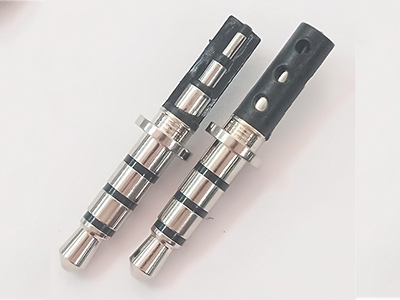
5 Seek professional repair at
If none of the above methods work, it might be that there is a hardware problem with the device itself. It is recommended to seek professional maintenance services. Technicians can accurately diagnose and provide solutions.
Precautions
Before attempting any method, make sure the device is turned off to avoid short circuits or damage.
When operating, be sure to be gentle to avoid further damage to the pins or sockets.
By following the above methods, you can effectively solve the problem of loose headphone pins and restore the normal use of your headphones. If the problem persists, it is recommended to consider replacing the headphones or the pin assembly.